Applications open
Real Azure and AWS. A real path. And a call before you start.
Every lab on Actual Infra is built in the Azure portal or the AWS console, in an Azure subscription or an AWS account that's yours for the term, and checked against the live resources when you're done. Nobody gets an account by signing up: you apply, we talk, and your account is created with your cohort.
Cohort one is seven seats, filled in the order applications come in. It starts Monday, 2 November 2026.
Built in the portal or the console
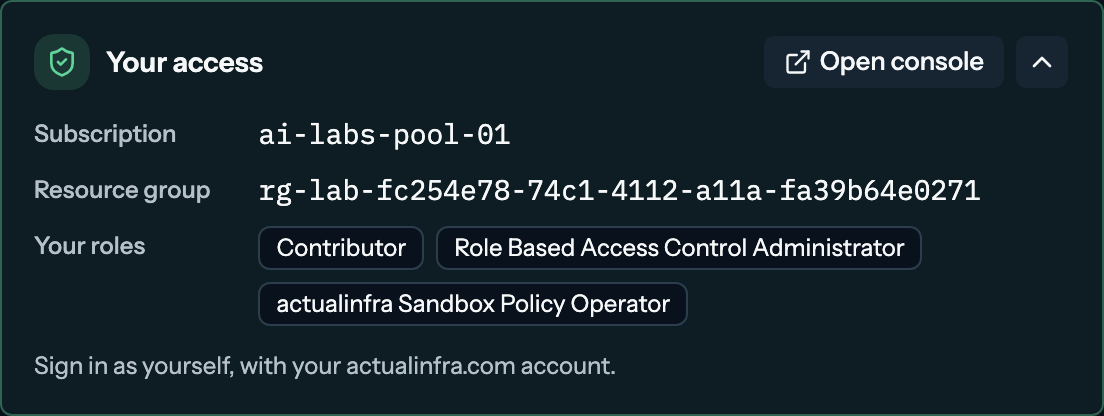
You sign into Azure or AWS with your own account and build the thing yourself. There's no sandbox and no simulator.
Verified, not quizzed
When you're done, the platform reads the live resources and checks them against the lab's requirements.
Your own account
A member of the actualinfra.com tenant, the way you'd have one on the job, with an Azure subscription and an AWS account of your own for the term.
How joining works
Three steps, and the first one is the only form you'll fill in. The demo is the whole app with nothing real behind it, if you want to see what a lab is like first.
Apply
A few questions and a booking. Pick the earliest slot that works for you.
We talk
Thirty minutes on where you are and what you want to be doing in a year, and a walk through the platform.
You're in the next cohort
Your actualinfra.com account is created on its start date, and the details come by email.
Cohort one is seven seats, filled in the order applications come in. It starts Monday, 2 November 2026. When the seats are taken you can still apply: a seat that opens before the start date goes to the next applicant in order, and everyone else starts with the cohort after it.
Labs on Azure and AWS
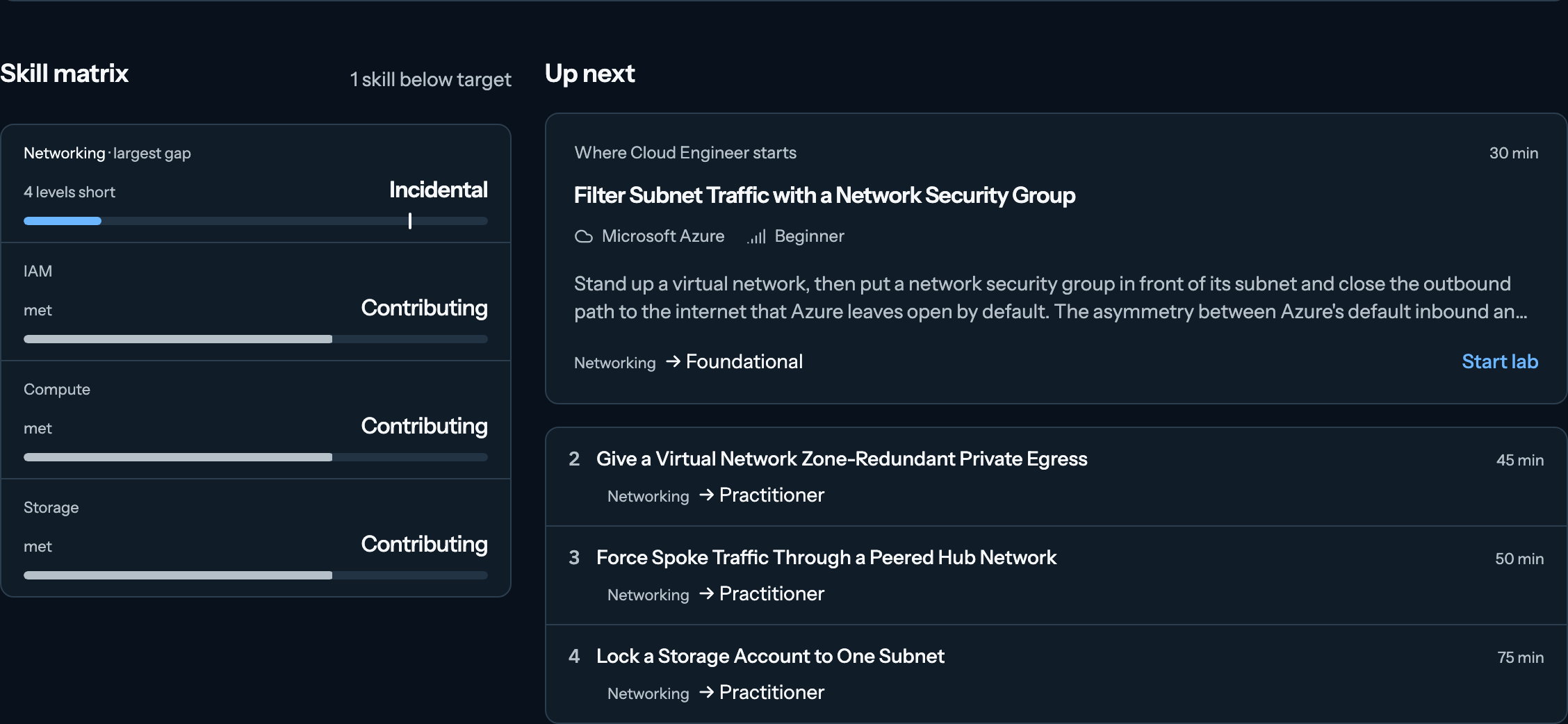
From your first storage account or S3 bucket to the work cloud engineer roles actually need. New labs land during your term.
What comes with the account
An actualinfra.com account
A member of the tenant, the way you'd have one on the job. It's how you sign into the platform, and how you sign into the Azure portal and the AWS console during a lab.
An Azure subscription and an AWS account
Both yours for the term, with the lab's permissions on your account for as long as its environment is up.
A three-month term
Enough time to work through the current set at a serious pace, sit AZ-104 or SOA-C03, and have something verified to point at when someone asks what you've built.
Check-ins, about three
Scheduled across the term.
The skill matrix and everything behind it
Gap analysis, verification, lab history and community stats come with the account.
A history that stays
When the term ends, every lab you completed, every verification and your skill profile stay exactly as they were. If you want another term, we'll talk about it at the last check-in.
Filter Subnet Traffic with a Network Security Group
- The workload subnet is carved at 10.42.1.0/24
- A custom rule denies traffic in the outbound direction
- That deny rule targets the Internet service tag, not Any
- That deny rule covers every port, not just one
- The workload subnet is protected by a network security group
5 of 5 checks passed against the live resources
$297 for the three-month term
One price for the term
$297 covers the term: every lab, the intake call and the check-ins. There's no monthly plan for now.
If the number is what's standing between you and applying, say so on the call. Scholarships are available and decided there.
Who this is for
You're studying for AZ-104 or SOA-C03, or you're already past AZ-900 or CLF-C02, and you've noticed the gap between passing questions about NSGs and network ACLs and being able to put one in front of a subnet and prove it worked. You don't have a work subscription or AWS account to practise in, or the one you have is somebody else's production. You'll put in the hours if someone holds you to it.